
Limitless Possibilities — Consumer Tech Designed Since 2011

0%

Choosing an Ergonomic Laptop Backpack is about more than selecting a stylish bag. It affects your shoulders, neck, back, and daily comfort. A poorly fitted pack can turn a short commute into an uncomfortable routine. The right design should distribute weight evenly and keep your laptop secure.

This guide presents seven practical tips for making a better choice. It examines shoulder-strap padding, adjustable sternum straps, back-panel support, laptop protection, and weight distribution. It also considers ventilation, water resistance, and useful storage. These details matter when you carry a laptop, charger, notebook, bottle, and other essentials through crowded stations or busy streets.

Fit comes before appearance. Always test the backpack with realistic weight. Walk with it for several minutes. Notice pressure near your collarbones, lower back, and shoulders. Occupational health guidance commonly recommends keeping heavy items close to your back. That simple principle can improve balance and reduce strain. Still, no backpack suits every body. Your height, commute, laptop size, and carrying habits all change the decision. I have found that a bag can feel comfortable in a store, then become awkward after an hour outside. That is an easy mistake to make. Check the return policy, and adjust the straps carefully before judging the design. A few minutes of testing can reveal more than attractive product photos. This article offers dependable criteria, but your own fit remains the final test.
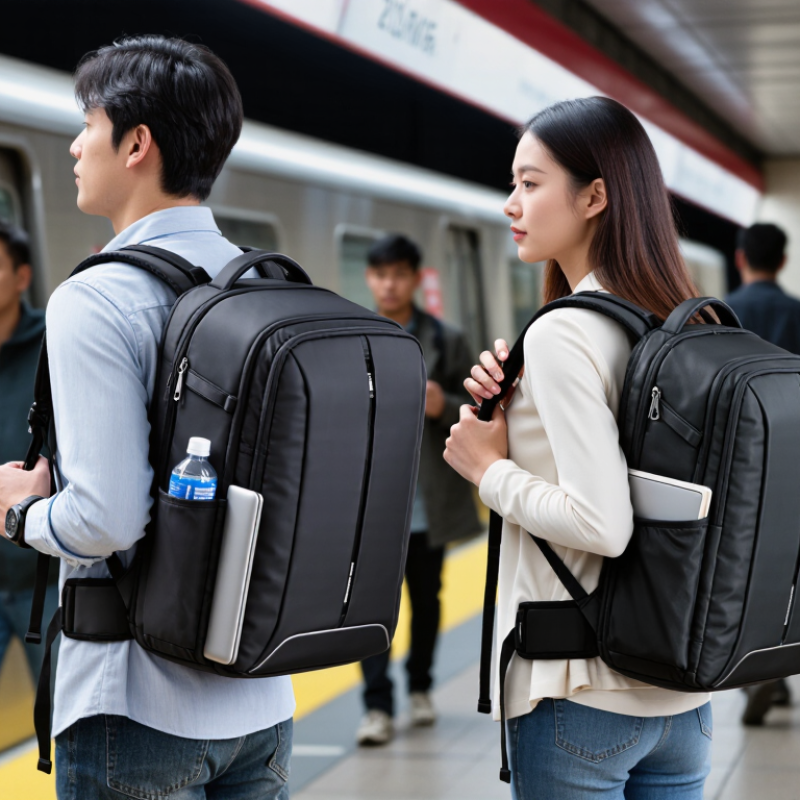
7 Tips for Choosing an Ergonomic Laptop Backpack

Identify the Right Backpack Size and Laptop Fit

Choosing an Ergonomic Laptop Backpack

Identify the Right Backpack Size and Laptop Fit

Tip: Measure both. Laptop labels often show screen size, not the complete device dimensions. Measure its width, depth, and thickness with a ruler. Then compare those measurements with the backpack’s internal laptop compartment. Allow a small amount of space, but avoid a loose fit. Excess movement can cause bumps during travel.

Tip: Check the compartment padding. Place your laptop inside and inspect the bottom, corners, and zipper area. These parts need protection from pressure and accidental drops. A snug sleeve should hold the device without forcing it. Do not guess. My own mistake was choosing a compartment that looked spacious but squeezed the laptop near the zipper.

Tip: Test the loaded bag. Pack the laptop, charger, notebook, and water bottle before judging comfort. Walk for several minutes. The backpack should sit close to your back, without pulling your shoulders backward. Adjustable straps help, but they cannot fix the wrong size. A larger backpack may seem practical, yet extra space can make the load shift. I still prefer a little unused room for ventilation and careful packing, though that choice requires more discipline.

Check Back Support, Padding, and Weight Distribution

7 Tips for Choosing an Ergonomic Laptop Backpack

Check Back Support, Padding, and Weight Distribution

A laptop backpack should support your back without feeling rigid or bulky. During my daily commute, I noticed that a curved back panel reduced pressure around my shoulders. Look for a panel that follows your natural spine shape. It should also allow airflow, especially during warmer weather. A flat, unsupported bag may slowly pull your body backward.

Padding matters in several places. Thick shoulder straps can soften pressure, but excessive softness may reduce stability. Choose straps that feel firm, wide, and adjustable. The lower back area needs cushioning too. Press the padding with your hand. If it collapses immediately, it may offer little protection. I once chose a heavily padded bag that looked comfortable, but its frame rubbed against my back.

Weight distribution often matters more than appearance. Keep the laptop close to your spine, rather than inside the outer pocket. Place heavier items in the middle section, and balance smaller objects on both sides. A chest strap can reduce shoulder movement on crowded walks. A waist strap may help with longer distances. Keep the total load light. Even excellent support cannot fix an overloaded backpack. I still sometimes pack more than necessary, which reminds me to check the contents before leaving. The right fit should feel stable when you walk, bend, and climb stairs. Don’t judge it while standing still.

Choose Adjustable Straps for a Comfortable Carry

7 Tips for Choosing an Ergonomic Laptop Backpack

Adjustable straps determine how a laptop backpack sits on your body. The American Academy of Pediatrics recommends keeping backpack weight below 15% of body weight. That limit matters, but it does not fit every adult or commute. I once tightened my straps too much, causing pressure near my collarbones. Comfort requires small adjustments.

Tip 1: Choose wide, padded shoulder straps. They spread pressure across your shoulders. Tip 2: Look for smooth, easy-to-pull adjusters. You should change the fit without removing the backpack. Tip 3: Set both straps evenly. Uneven tension can tilt your torso during walking. Tip 4: Keep the bag close to your back. NIOSH ergonomic guidance consistently favors neutral posture and reduced awkward loading.

Tip 5: Select a sternum strap when carrying heavier equipment. It can limit side-to-side movement. Tip 6: Test the straps with your laptop inside. Empty-bag comfort can be misleading. Tip 7: Leave enough adjustment range for a winter jacket. The International Ergonomics Association notes that fit should accommodate individual body differences, not just average measurements. Your shoulders should stay relaxed. If numbness, sharp pressure, or persistent fatigue appears, the setup needs reconsidering. A 15% rule is only a starting point. Different bodies respond differently.

Evaluate Compartments, Materials, and Daily Functionality

Choosing an ergonomic laptop backpack begins with its compartments, not its appearance. I test the laptop sleeve with a loaded device and a notebook. The sleeve should hold the computer firmly without forcing it into a corner. Look for padding on the base and sides. A raised bottom helps when the bag touches wet floors. Separate spaces for chargers, pens, and documents reduce pressure against the laptop. Keep small items visible. Hidden pockets can become frustrating.

Check how the weight sits on your back. Wide, adjustable shoulder straps distribute pressure better than thin straps. A breathable back panel reduces heat during a crowded commute. A chest strap may improve stability, especially on bicycles or stairs. I also prefer a luggage pass-through for train travel. It sounds minor. It saves effort. Still, too many compartments can add bulk, so question every zipper.

Material choice affects daily reliability. Water-resistant fabric can protect against light rain, but it does not promise full waterproofing. Inspect stitching, zipper tracks, and handle attachment points. Recycled or coated fabrics may feel durable, though their long-term performance varies. Choose a size that fits your routine, not an imagined one. A fifteen-minute test walk reveals shoulder rubbing, shifting weight, or awkward access. I once chose extra padding and regretted the lost interior space. Comfort is personal, so adjust the fit with your actual load.

Test Safety, Weather Resistance, and Long-Term Durability

An ergonomic laptop backpack should protect your body and your equipment. Before buying, test it with your actual laptop, charger, and notebook. Put the load on both shoulders. Walk for ten minutes. Notice pressure around your neck, hips, and lower back. The shoulder straps should adjust smoothly and keep the pack close without squeezing your chest. A padded back panel helps, but excessive padding can trap heat. I once chose comfort in a shop and regretted it during a warm commute. Real movement exposes flaws.

Weather resistance needs more than a water-resistant label. Check sealed or covered zippers, tightly stitched seams, and a coated fabric surface. Place a dry tissue inside, then spray the outside for several minutes. Do not fully soak electronics during a home test. A rain cover adds protection, yet it can slip in strong wind. Keep the laptop in a raised sleeve, away from the bottom panel and puddles. Independent test reports are useful when they describe methods and conditions clearly.

Long-term durability shows in small details. Pull the handle firmly and inspect the strap attachment points. Load the backpack with books, then lift it repeatedly from the floor. Watch for twisting, loose threads, or distorted padding. A strong base prevents abrasion on rough sidewalks. Still, no fabric is indestructible. My own test missed a weak zipper pull, which failed after months of daily use. Check repair options and record early defects with dated photos.

FAQS

What compartments should an ergonomic laptop backpack have?

Look for a padded laptop sleeve, notebook space, charger pocket, pen slots, and visible small-item storage. A raised base adds protection.

How should the laptop sleeve fit?

Test it with your actual laptop and a notebook. The computer should stay secure without being forced into a corner. Padding should cover the base and sides.

Which shoulder strap features improve comfort?

Choose wide, adjustable straps that spread pressure across your shoulders. A breathable back panel can reduce heat during crowded commutes. Fit matters more than appearance.

Is a chest strap or luggage pass-through useful?

A chest strap can stabilize the backpack on bicycles, stairs, or uneven paths. A luggage pass-through helps during train travel. Small features can save effort.

How can I test backpack comfort before buying?

Load it with your laptop, charger, and notebook. Wear it on both shoulders and walk for ten to fifteen minutes. Notice neck, hip, lower-back, or shoulder pressure.

Does water-resistant fabric make a backpack waterproof?

No. Water-resistant fabric usually handles light rain, not prolonged soaking. Check covered zippers, tight seams, and coated surfaces. Water resistance has limits.

How can I check weather protection safely?

Place a dry tissue inside the backpack. Spray the outside for several minutes without fully soaking electronics. A rain cover adds protection, but strong wind may move it.

What details reveal long-term durability?

Inspect stitching, zipper tracks, handles, strap attachments, and the bottom panel. Load the bag with books and lift it repeatedly. Watch for loose threads, twisting, or distorted padding.

Can extra padding improve every backpack?

Not always. Excessive padding may trap heat and reduce interior capacity. I once chose more padding and regretted losing useful space. Comfort needs real testing.

How should I choose the backpack size?

Match the size to your daily load, not an imagined routine. Too many compartments can create unnecessary bulk. Question every zipper.

Conclusion

Choosing the right Ergonomic Laptop Backpack can make daily travel more comfortable, organized, and secure. Start by selecting a size that fits your laptop snugly without forcing it into a crowded compartment. Look for a supportive back panel, sufficient padding, and a design that distributes weight evenly across your body. Adjustable shoulder straps, along with a sternum or waist strap when available, can help improve balance and reduce pressure during longer commutes.

Consider how the backpack supports your everyday routine. Separate compartments can keep your laptop, accessories, documents, and personal items organized, while durable, lightweight materials can improve convenience without adding unnecessary bulk. Check for secure zippers, reinforced stitching, and weather-resistant construction to protect your belongings in changing conditions. Before buying, test the backpack with realistic weight and adjust the straps to confirm that it feels stable, comfortable, and easy to carry. A thoughtful choice should provide reliable protection and remain practical over long-term use.

Amelia

Amelia

Amelia is a professional marketing specialist with a deep understanding of the company’s products, their practical applications, and the needs they are designed to address. She regularly contributes expert articles to the company website, turning product knowledge into clear, useful guidance for......